
 AED

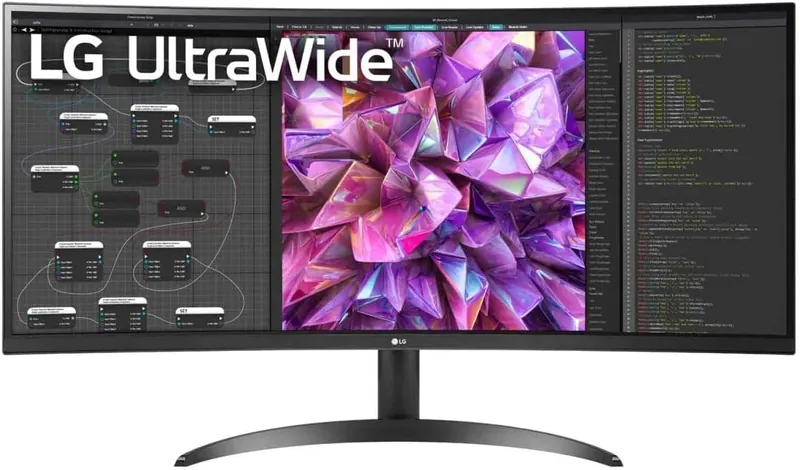
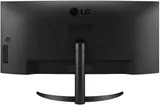
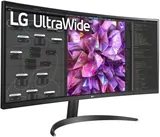
LG 34WQ60C 34 Inch 21:9 Curved UltraWide QHD 3440 x 1440 IPS Monitor With HDMI 2.0,DisplayPort
AED 1,550.00
LG 34WQ60C 34 Inch 21:9 Curved UltraWide QHD 3440 x 1440 IPS Monitor With HDMI 2.0,DisplayPort
Experience immersive productivity and gaming with the LG 34WQ60C 34” Curved UltraWide QHD monitor, featuring IPS panel, HDMI 2.0 & DisplayPort connectivity.
- BRAND: LG
- MODEL: 34WQ60C
- DISPLAY SIZE: 34 INCH
- DISPLAY TYPE: IPS
- RESOLUTION: 3440×1440 WQHD
- ASPECT RATIO: 21:9
- SCREEN CURVATURE: 1800R
- REFRESH RATE: 60HZ
- RESPONSE TIME: 5MS (GTG)
AED: 1550.00
Description
LG 34WQ60C 34 Inch 21:9 Curved UltraWide QHD IPS Monitor
Upgrade your workspace and gaming setup with the LG 34WQ60C 34” Curved UltraWide QHD Monitor. Designed for both professionals and gamers, this monitor combines stunning visuals, immersive design, and versatile connectivity to deliver a premium viewing experience.
Key Features:
- 🌌 UltraWide Curved Display (21:9) – Enjoy a panoramic view for better multitasking, gaming, and cinematic experiences.
- 🖥️ QHD Resolution (3440 x 1440) – Crisp, detailed images with vibrant colors for work, movies, and gaming.
- 🎨 IPS Panel Technology – Wide viewing angles and consistent colors, perfect for design, content creation, and entertainment.
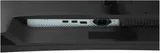
- 🔌 Multiple Connectivity Options – Includes HDMI 2.0 and DisplayPort, supporting a variety of devices and setups.
- 🖤 Sleek Modern Design – Curved, minimalistic aesthetic that complements any desk or gaming setup.
Why Choose the LG 34WQ60C Monitor?
- Immersive Gaming Experience: The curved UltraWide screen enhances gameplay, making you feel part of the action.
- Enhanced Productivity: With extra screen real estate, multitask efficiently by running multiple apps side by side.
- Cinematic Entertainment: Enjoy movies and videos on a 34-inch curved display with incredible clarity and depth.
- Reliable Performance: IPS technology ensures true-to-life visuals, while HDMI 2.0 and DisplayPort connectivity guarantee smooth signal transmission.
Ideal For:
- Gamers seeking immersive widescreen visuals
- Professionals working with multiple apps or large spreadsheets
- Content creators requiring accurate colors and wide viewing angles
- Movie enthusiasts who love cinematic panoramic experiences
Upgrade your setup with the LG 34WQ60C 34” Curved UltraWide QHD Monitor – where style meets performance, and every detail comes to life!
UltraWide Productivity That Fixes Screen Clutter
LG 34WQ60C 34 Inch 21:9 Curved UltraWide QHD 3440 x 1440 IPS Monitor With HDMI 2.0, DisplayPort is one of those upgrades you don't realize you needed until your desktop stops feeling cramped. The biggest pain point it solves is juggling too many windows on a single screen without constant switching. With its 21:9 curved ultrawide layout, everything finally sits side by side instead of stacked and hidden. The LG 34WQ60C 34 Inch 21:9 Curved UltraWide QHD 3440 x 1440 IPS Monitor With HDMI 2.0, DisplayPort gives you that extra horizontal space that makes spreadsheets, timelines, and browser tabs feel effortless. Compared to older basic widescreen monitors, this feels like stepping into a much wider workspace where multitasking actually stays organized. Q: Is it difficult to set up with a laptop? A: Not at all-HDMI 2.0 or DisplayPort makes it a simple plug-and-play setup in most cases. You can also check similar setups like Msi G27c3f 27 Curved Gaming Monitor or Galax Vivance 24f Gaming Monitor 24 Inch Fhd 144hz 1ms to see how ultrawide changes workflow comfort. The QHD 3440x1440 IPS panel keeps text sharp and colors consistent even when you're working long hours. LG really tuned this display for productivity, especially if you're constantly switching between documents and creative tools. The LG 34WQ60C 34 Inch 21:9 Curved UltraWide QHD 3440 x 1440 IPS Monitor With HDMI 2.0, DisplayPort ends up feeling less like a monitor and more like extra desk space you didn't have before.
Reviews (0)
Related Products
 QUOTE FOR CORPORATE
info@blumenit.com
 B2B
info@blumenit.com
 INCLUSIVE VAT
All prices include VAT